
Senior Assassin · Account & data
Delete your account
You can delete your Senior Assassin account in the app. If you no longer have the app or cannot sign in, you can request account and data deletion by email. This page applies to Senior Assassin, operated by Zinance Inc.
Delete in the app
Profile → Account → Delete Account. The screenshots below show Android.
- Step 1
Open your profile
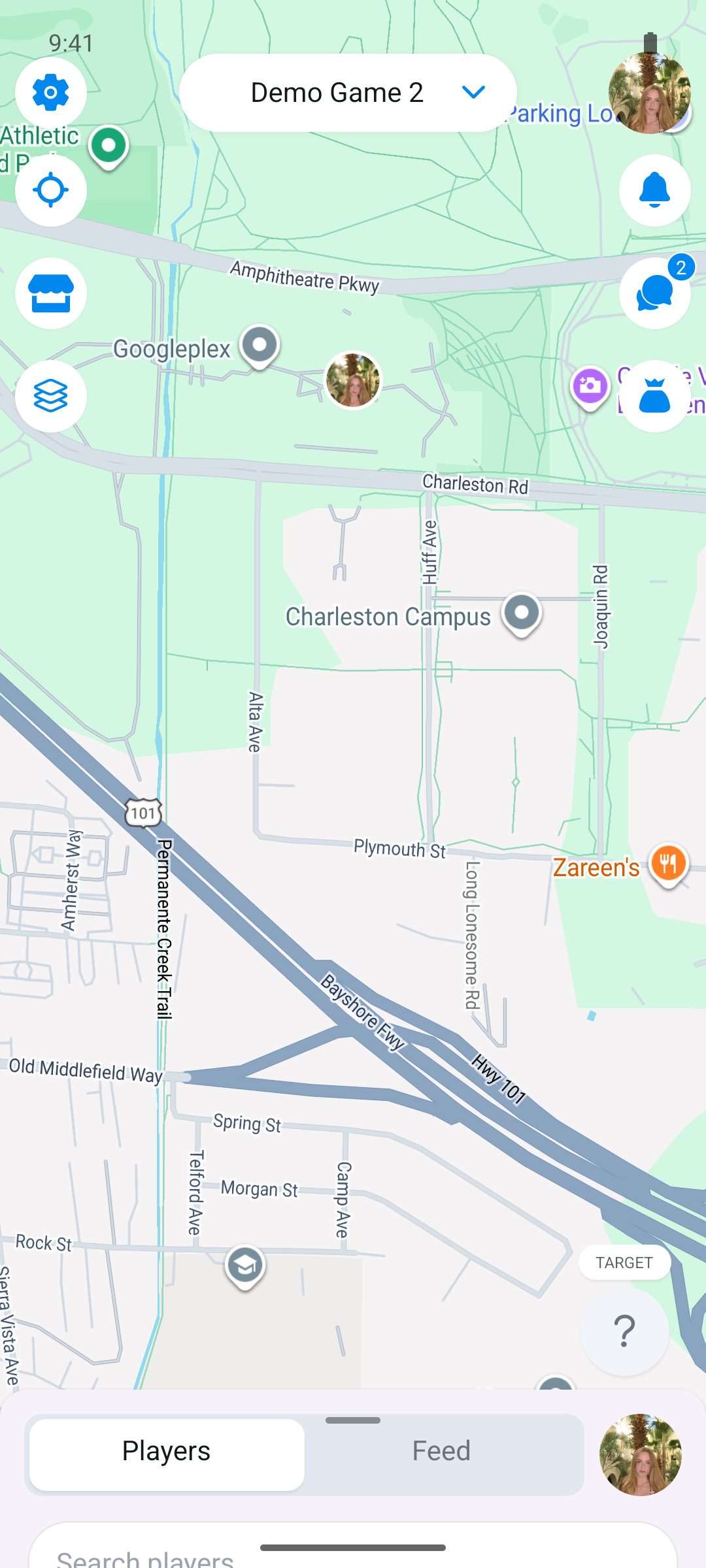
Sign in to Senior Assassin, then tap your profile picture in the top-right corner of the map.
- Step 2
Choose Delete Account
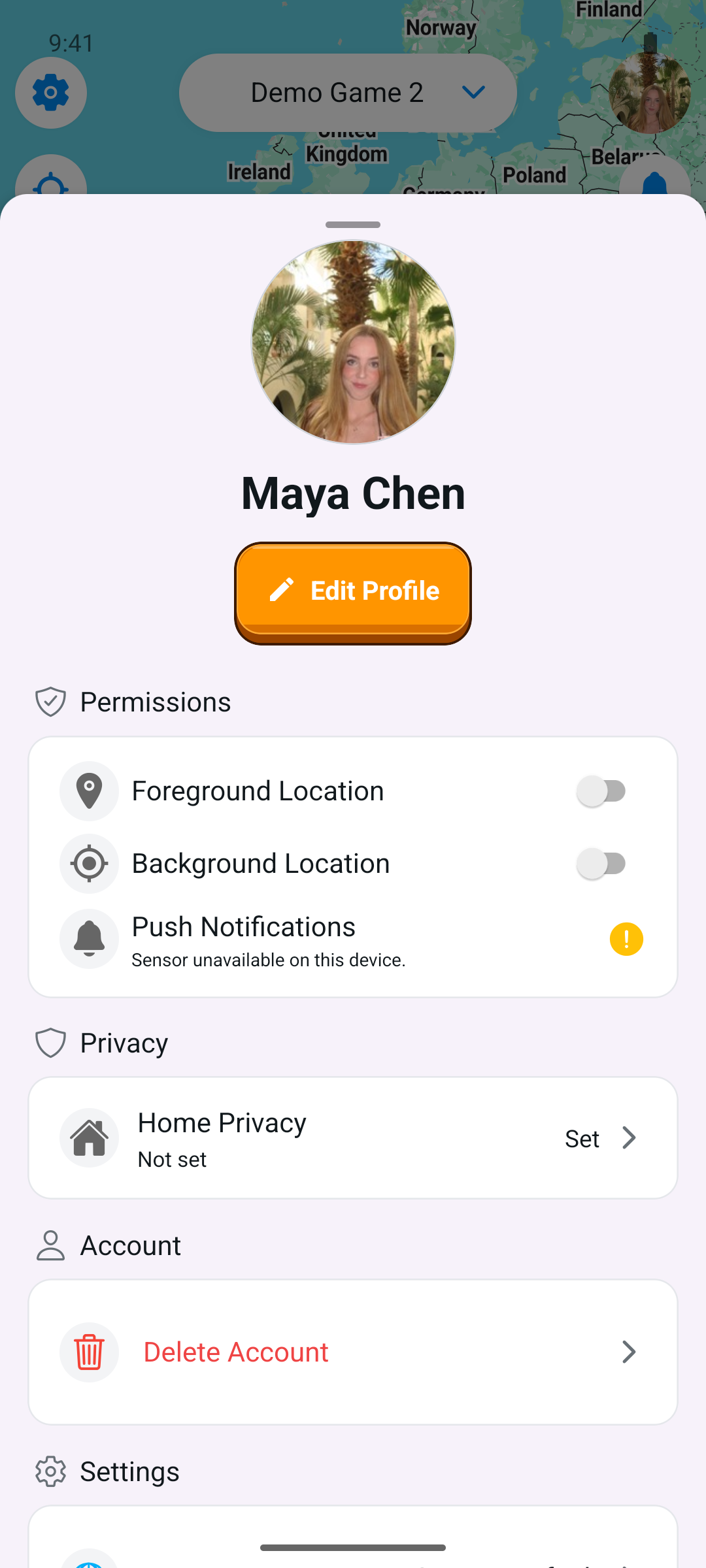
Find the Account section of your profile, scrolling down if needed, and tap Delete Account.
- Step 3
Confirm your choice
Read the warning, type “delete my account” exactly as shown, then tap Delete. Choose Cancel to keep your account.
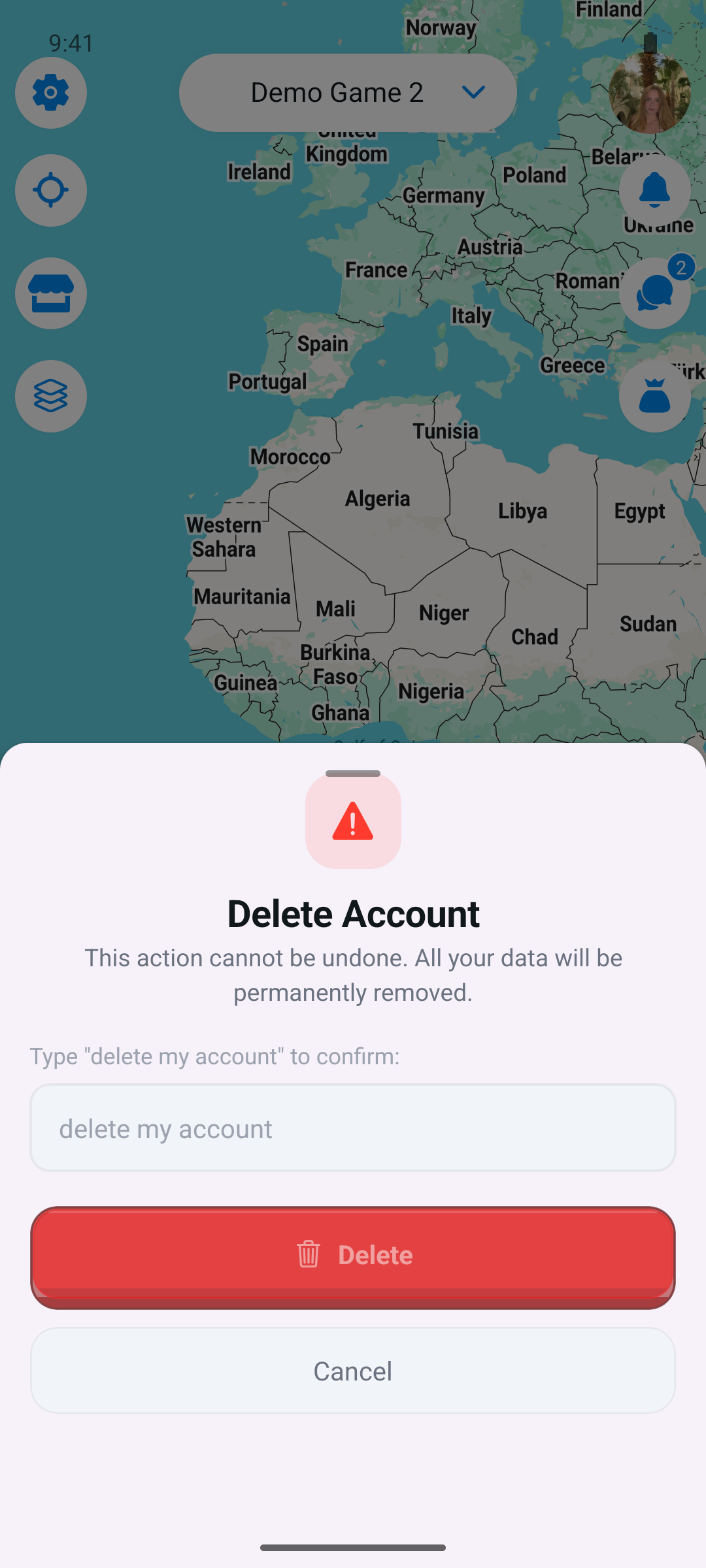
Account deletion is permanent. You will lose access to the account and leave your active games. Simply uninstalling the app does not delete your account.
If sign-in or permission screens prevent you from opening your profile, use the email request option below.
No app or sign-in needed
Request deletion by email
Email admin@zinance.app with the subject Delete my Senior Assassin account. Ask us to delete your account and associated personal data. Send the request from your account email address and include your username if you know it.
If you cannot access that email address, contact us from another address and explain the situation. We will help verify ownership before deleting the account. Do not send passwords or sign-in codes.
Email a deletion request ↗This opens your email app with a draft you can review and send. If it does not open, write directly to admin@zinance.app. We verify your identity and respond within the timelines in our Privacy Policy.
What happens to your data?
Deletion removes your account profile, including your name and email, ends your participation in active games, and clears your push-notification registration and most recent stored location. A deletion request also covers personal data associated with your account, including gameplay records, chat messages, and uploaded photos or videos, subject to the limited retention described below.
Data that may be retained
Some records may need to be retained for moderation, security, resolving disputes, enforcing our agreements, or legal obligations. This can include relevant game records, messages, media, and technical logs. These records are kept only for as long as reasonably necessary for that purpose and are then deleted or de-identified. A legal hold may require longer retention.
Retention depends on the type of record and the reason it is needed; there is no single fixed period for every category. You can ask us which records are retained, why, and for how long when submitting your request. The full retention practices and request timelines are in our Privacy Policy (sections 6 and 7).